Skip to content

KandZ - Tuts

  • Operating Systems ▾
    • Linux ▾
      • Distros ▾
        • Fedora
        • Other Distros
        • Ubuntu
      • Gnome 48
      • KDE
      • LFCA - Linux Foundation Certified IT Associate
      • LFCS - Linux Foundation Certified Sysadmin
      • LFCE - Linux Foundation Certified Engineer (Sysadmin + Network Admin)
      • Linux CLI
      • Various
      • Bash Scripting
  • Paths ▾
    • Core Web Stack
    • React & Modern UI Stack
    • Linux Core
  • Programming ▾
    • Frontend (FED) ▾
      • React Ecosystem ▾
        • React
        • React Router
        • TanStack Router
        • TanStack Query (React Query)
        • Zustand
        • Redux Toolkit
      • Angular Ecosystem ▾
        • Angular
      • Vue Ecosystem ▾
        • Vue.js
      • Styling & UI Components ▾
        • Tailwind CSS
    • Languages & Runtimes ▾
      • CSS
      • Dart
      • HTML
      • JavaScript
      • Node.js
      • Rust
      • SQL
      • TypeScript
    • Tools & Build Systems ▾
      • Version Control ▾
        • GitHub
        • Git
        • GitLab
      • Package Managers ▾
        • npm
        • Bun
        • yarn
        • pnpm
      • DevOps & Containers ▾
        • Docker
  • Servers & Self-Hosting ▾
    • Internet ▾
      • Internet Backend - Coming Soon
      • Internet Beginner
      • Internet Frontend - Coming Soon
    • Networking & DNS ▾
      • REST API
  • Tools
  • Windows ▾
    • Windows 11
KandZ - Tuts
AngularBunCSSDartDockerGitGitHubGitLabHTMLJavaScriptNode.jsnpmpnpmReactReact RouterRedux ToolkitRustSQLTailwind CSSTanStack Query (React Query)TanStack RouterTypeScriptVue.jsyarnZustandBash ScriptingFedoraGnome 48KDELFCA - Linux Foundation Certified IT AssociateLFCE - Linux Foundation Certified Engineer (Sysadmin + Network Admin)LFCS - Linux Foundation Certified SysadminLinux CLIOther DistrosUbuntuVariousCore Web StackInternet Backend - Coming SoonInternet BeginnerInternet Frontend - Coming SoonLinux CoreReact & Modern UI StackREST APIToolsWindows 11
  • TanStack Router 09 ⚛️ Data Loaders — Route loader functions
    Programming | Frontend (FED) | React Ecosystem | TanStack Router

    TanStack Router 09 ⚛️ Data Loaders — Route loader functions

    ByKandZ October 30, 2026October 30, 2026

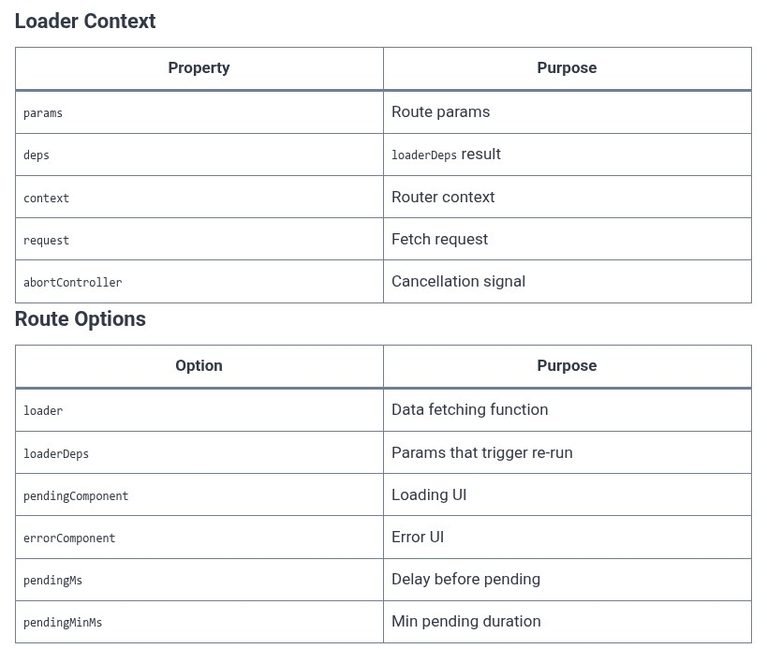
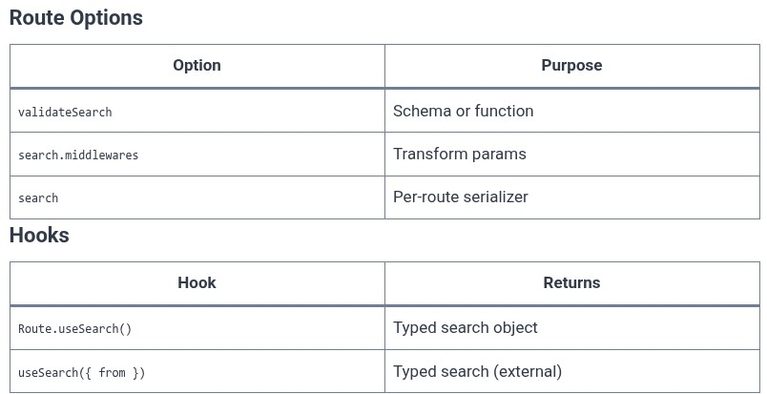
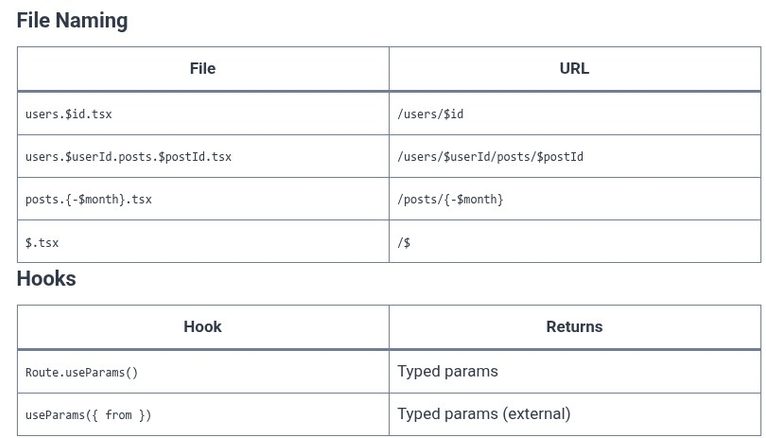
    The previous chapters covered the path and search parameters: the URL data that the route reads. This chapter covers the data loaders: the functions that fetch the data before the route component renders. In the React Router Data mode, the loader is defined in the route object with the loader property. In TanStack Router, the…
    Read More TanStack Router 09 ⚛️ Data Loaders — Route loader functionsContinue

  • TanStack Router 08 ⚛️ Search Params — Zod validation & parsing
    Programming | Frontend (FED) | React Ecosystem | TanStack Router

    TanStack Router 08 ⚛️ Search Params — Zod validation & parsing

    ByKandZ October 30, 2026October 30, 2026

    The previous chapter covered the path parameters, which are part of the resource identity. This chapter covers the search parameters: the key-value pairs in the query string that configure the view. The TanStack Router’s search parameter handling is fundamentally different from the React Router’s. The React Router returns the raw URLSearchParams object, and the component…

    Read More TanStack Router 08 ⚛️ Search Params — Zod validation & parsingContinue

  • TanStack Router 07 ⚛️ Path Parameters — Dynamic URL segments
    Programming | Frontend (FED) | React Ecosystem | TanStack Router

    TanStack Router 07 ⚛️ Path Parameters — Dynamic URL segments

    ByKandZ October 30, 2026October 30, 2026

    The previous chapter covered imperative navigation with the useNavigate hook, which is fully typed against the route tree. This chapter covers the path parameters: the dynamic segments that allow a single route file to serve multiple URLs. The TanStack Router’s handling of the path parameters is stricter than the React Router’s. The parameter is declared…

    Read More TanStack Router 07 ⚛️ Path Parameters — Dynamic URL segmentsContinue

  • TanStack Router 06 ⚛️ Imperative Nav — The useNavigate hook
    Programming | Frontend (FED) | React Ecosystem | TanStack Router

    TanStack Router 06 ⚛️ Imperative Nav — The useNavigate hook

    ByKandZ October 30, 2026October 30, 2026

    The previous chapter covered the <Link> component, which is the declarative navigation mechanism. This chapter covers the imperative navigation: the useNavigate hook, which returns a function that navigates programmatically. The LFCS exam does not test TanStack Router, but the front-end engineering certification paths do. The critical distinction is between the typed useNavigate hook and the…

    Read More TanStack Router 06 ⚛️ Imperative Nav — The useNavigate hookContinue

  • React Router 10 ⚛️ Imperative Nav — Redirection with useNavigate
    Programming | Frontend (FED) | React Ecosystem | React Router

    React Router 10 ⚛️ Imperative Nav — Redirection with useNavigate

    ByKandZ October 30, 2026October 30, 2026

    The previous chapter covered the <Link> and <NavLink> components, which are the declarative navigation mechanisms. This chapter covers the imperative navigation: the useNavigate hook, which returns a function that programmatically navigates to a route. The LFCS exam does not test React Router, but the front-end engineering certification paths do. The critical distinction is between the…

    Read More React Router 10 ⚛️ Imperative Nav — Redirection with useNavigateContinue

  • React Router 09 ⚛️ Nested Routes — Layout routing with Outlet
    Programming | Frontend (FED) | React Ecosystem | React Router

    React Router 09 ⚛️ Nested Routes — Layout routing with Outlet

    ByKandZ October 30, 2026October 30, 2026

    The previous chapters covered the flat route configuration and the navigation links. This chapter covers the nested route structure: the route tree where a parent route renders a shared layout and the child routes render inside it via the <Outlet /> component. The LFCS exam does not test React Router, but front-end engineering certification paths…

    Read More React Router 09 ⚛️ Nested Routes — Layout routing with OutletContinue

  • React Router 08 ⚛️ Query Parameters — Managing search parameters
    Programming | Frontend (FED) | React Ecosystem | React Router

    React Router 08 ⚛️ Query Parameters — Managing search parameters

    ByKandZ October 30, 2026October 30, 2026

    The previous chapter covered path parameters: the dynamic segments in the URL path that identify a resource (/users/:id). This chapter covers query parameters: the key-value pairs in the URL search string that configure the view (?sort=name&page=2). The LFCS exam does not test React Router, but front-end engineering certification paths do. The critical distinction is between…

    Read More React Router 08 ⚛️ Query Parameters — Managing search parametersContinue

  • React Router 07 ⚛️ Path Parameters — Dynamic URL segments
    Programming | Frontend (FED) | React Ecosystem | React Router

    React Router 07 ⚛️ Path Parameters — Dynamic URL segments

    ByKandZ October 30, 2026October 30, 2026

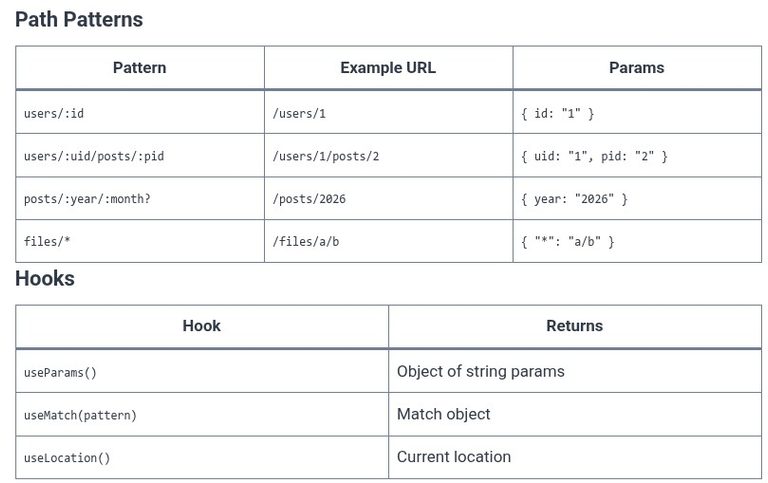
    The previous chapter covered active styling. This chapter covers the mechanism that makes a single route component serve multiple URLs: the path parameter. A path parameter is a dynamic segment in the route’s path, marked with a colon prefix (:id). The router matches any single URL segment to the parameter, and the component reads the…

    Read More React Router 07 ⚛️ Path Parameters — Dynamic URL segmentsContinue

  • React Router 06 ⚛️ Active Styling — Styling active NavLink states
    Programming | Frontend (FED) | React Ecosystem | React Router

    React Router 06 ⚛️ Active Styling — Styling active NavLink states

    ByKandZ October 30, 2026October 30, 2026

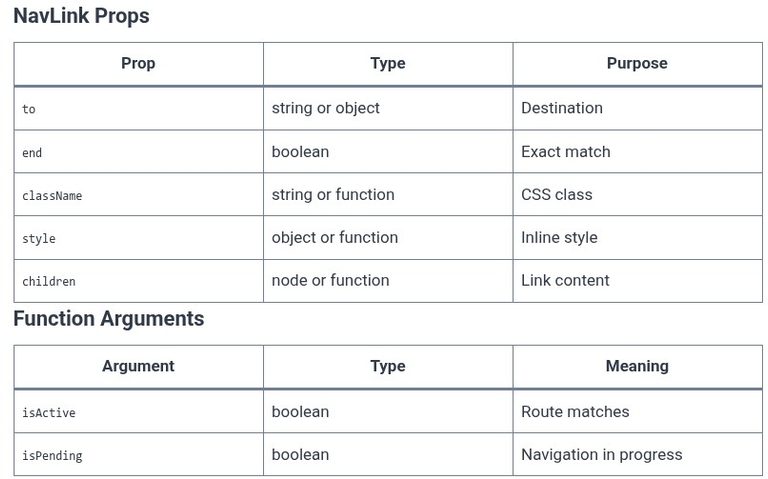
    The previous chapter covered navigation with the <Link> and <NavLink> components. This chapter focuses specifically on the active state: how the router determines that the current URL matches a link, how the <NavLink> exposes that state to the component, and the different patterns for styling the active link. The LFCS exam does not test React…

    Read More React Router 06 ⚛️ Active Styling — Styling active NavLink statesContinue

  • LFCS 150 🐧 Restore Procedures
    Linux | Operating Systems | LFCS - Linux Foundation Certified Sysadmin

    LFCS 150 🐧 Restore Procedures

    ByKandZ October 30, 2026October 30, 2026

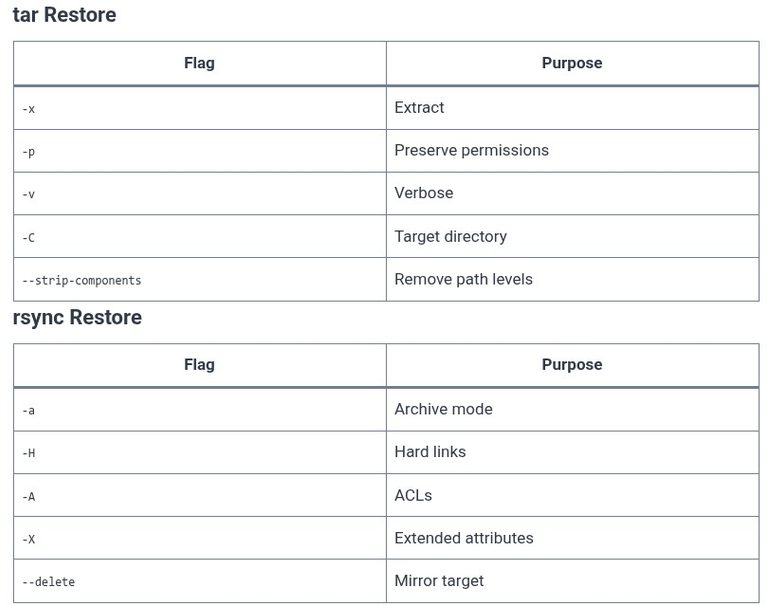
    The previous chapters covered backup strategies and the tools that create the backups: tar and rsync. This chapter covers the reverse operation: the restore. A backup that has never been restored is a backup that might not work. The restore is not a single command; it is a sequence of decisions that determine whether the…

    Read More LFCS 150 🐧 Restore ProceduresContinue

Page navigation

Previous PagePrevious 1 … 8 9 10 11 12 … 255 Next PageNext
    Search