Linux CLI HowTo 0 🐧 Linux Boot ProcessLinux CLI HowTo 0 🐧 Linux Boot ProcessBash Scripting 01 🐧 Shell Basics — Terminal environments and script executionGnome 1 🐧 How to Install GNOMEInstalling AnduinOS 1.3.2 and looking around 🐧Installing AnduinOS 1.4 🐧 looking aroundKDE discover Dolphin Part 1LFCA 1 🐧 Introduction to the Linux FoundationLFCE 1 🐧 Introduction to LFCE and the ExamLFCS 1 🐧 Introduction to LFCS and the ExamLinux CLI 1 🐧 IntroductionBash Scripting 02 🐧 Variables & Types — Declaring strings, integers, and read-only valuesGnome 2 🐧 How to install flatpakInstalling VanillaOS 2 stable 20250220 🐧 looking aroundKDE Discover application easy installation 2LFCA 2 🐧 What is LFCA — Exam, Format, and ObjectivesLFCE 2 🐧 Exam Format, Domains, and ScoringLFCS 2 🐧 Exam Format, Domains, and ScoringLinux CLI 2 🐧 Filesystem NavigationBash Scripting 03 🐧 User Input — Reading environment variables and interactive promptsInstalling Alpine Linux 3.23.0 🐧 and GnomeKDE neon easy app installation 3LFCA 3 🐧 What is Linux — History and OriginsLFCE 3 🐧 Building a Practice Lab — Options and SetupLFCS 3 🐧 Setting Up a Practice Lab — OptionsLinux CLI 3 🐧 ls, file and less commandsOpenGL 3D acceleration in virt manager 🐧 ubuntuBash Scripting 04 🐧 Command Substitution — Capturing command output into variablesLFCA 4 🐧 Linux Distributions ExplainedLFCE 4 🐧 Building a Lab with VMs or ContainersLFCS 4 🐧 Building a Lab with VMsLinux CLI 4 🐧 Symbolic and Hard linksBash Scripting 05 🐧 Positional Parameters — Handling command-line arguments ($1, $2, $@)LFCA 5 🐧 Choosing a Linux DistributionLFCE 5 🐧 Network Architecture — LAN, WAN, DMZLFCS 5 🐧 Building a Lab with ContainersLinux CLI 5 🐧 WildcardsBash Scripting 06 🐧 Conditional Logic — Using if statements and test operatorsInstalling DragonFly BSD 6.4.1 configuration and moreInstalling MODICIA O.S. 6.12.41 🐧 looking aroundInstalling OpenMandriva Linux 6 and look aroundInstalling Q4OS 6.1 🐧 looking aroundLFCA 6 🐧 Installing Linux — Overview and RequirementsLFCE 6 🐧 Network Topologies — Star, Mesh, Hub-and-SpokeLFCS 6 🐧 The Shell — How It WorksLinux CLI 6 🐧 make directory, copy, move, rename, delete files and directoriesBash Scripting 07 🐧 Case Statements — Pattern matching and multi-branch logicLFCA 7 🐧 Installing Ubuntu Step by StepLFCE 7 🐧 IP Addressing — Classful vs ClasslessLFCS 7 🐧 Shell Navigation — pwd, cd, lsLinux CLI 7 🐧 Commands type, whichBash Scripting 08 🐧 Arithmetic Operations — Performing math with let, expr, and bcLFCA 8 🐧 First Boot and Initial SetupLFCE 8 🐧 Subnetting — Concepts and PracticeLFCS 8 🐧 Getting Help — man, --help, infoLinux CLI 8 🐧 help, --help and manBash Scripting 09 🐧 String Manipulation — Substring extraction, replacement, and lengthHow to create Rocky Linux 9 4 installation USBHow to install Rocky Linux 9.4 in VboxInstalling OracleLinux R9 U6 🐧 looking aroundInstalling Rocky Linux 9.6 looking aroundLFCA 9 🐧 The Linux Filesystem HierarchyLFCE 9 🐧 CIDR Notation ExplainedLFCS 9 🐧 Creating Files and Directories — touch, mkdirLinux CLI 9 🐧 whatis,apropos and info commandsBash Scripting 10 🐧 For Loops — Iterating over sequences, lists, and file patternsLFCA 10 🐧 Important Directories ExplainedLFCE 10 🐧 VLSM — Variable Length Subnet MaskingLFCS 10 🐧 Copying Files and Directories — cpLinux CLI 10 🐧 create your aliasesInstalling ALT Linux 11.0 looking aroundLFCA 11 🐧 The Shell — What It Is and How It WorksLFCE 11 🐧 IPv6 — Why It ExistsLFCS 11 🐧 Moving and Renaming — mvLinux CLI 11🐧 Input/Output and redirectionLFCA 12 🐧 Basic Shell Navigation — pwd, cd, lsLFCE 12 🐧 IPv6 — Address Types and StructureLFCS 12 🐧 Deleting Files and Directories — rm, rmdirLinux CLI 12 🐧 pipelines and cat, grep, wc commandsInstalling Br OS 13.0 🐧 looking aroundInstalling Voyager Live 13.1 🐧 looking aroundLFCA 13 🐧 Getting Help — man, --help, infoLFCE 13 🐧 IPv6 — Basic ConfigurationLFCS 13 🐧 Viewing Files — cat, less, head, tailLinux 13 🐧 uniq, head, tail and tee commandsTanStack Router 13 ⚛️ TanStack Query — Query integrationInstalling FreeBSD 14 2 xfce4 desktopLFCA 14 🐧 Creating Files and Directories — touch, mkdirLFCE 14 🐧 Static Routing — ConceptsLFCS 14 🐧 Editing Files with nanoLinux CLI 14 🐧 echo commandLFCA 15 🐧 Copying Files and Directories — cpLFCE 15 🐧 Static Routes — ConfigurationLFCS 15 🐧 Editing Files with vim — BasicsLinux CLI 15 🐧 shortcutsInstalling openSUSE Leap 16.0 🐧 looking aroundLFCA 16 🐧 Moving and Renaming — mvLFCE 16 🐧 Default Gateway and Route PriorityLFCS 16 🐧 Text Processing — grep BasicsLinux CLI 16 - history 🐧LFCA 17 🐧 Deleting Files and Directories — rm, rmdirLFCE 17 🐧 Policy Routing — ConceptsLFCS 17 🐧 Text Processing — sed BasicsLinux CLI 17 🐧 Owner, group member and the restInstalling Zorin OS 18 🐧 looking aroundLFCA 18 🐧 Viewing Files — cat, less, head, tailLFCE 18 🐧 Policy Routing — Multiple Tables and RulesLFCS 18 🐧 Text Processing — awk BasicsLinux CLI 18 🐧 id, chmod and umask commandsLFCA 19 🐧 Editing Files with nano — BasicsLFCE 19 🐧 Network Bridges — ConceptsLFCS 19 🐧 Archives with tarLinux CLI 19 🐧 su and sudo commandsLFCA 20 🐧 Editing Files with vim — BasicsLFCE 20 🐧 Creating and Managing BridgesLFCS 20 🐧 Compression — gzip, bzip2, xzLinux CLI 20 🐧 chgrp, chown and passwd commandsLFCA 21 🐧 What Users and Groups AreLFCE 21 🐧 Link Aggregation — ConceptsLFCS 21 🐧 Modern Compression — zstd, lz4Linux CLI 21 🐧 view and terminate processesInstalling Linux Mint 22.1 🐧 looking aroundLFCA 22 🐧 Viewing Users and Groups — /etc/passwd, /etc/groupLFCE 22 🐧 Bonding — Modes and ConfigurationLFCS 22 🐧 Finding Files — findLinux CLI 22 🐧 background/foreground processes and system reboot/shutdownUbuntu 22.04 install insyncUbuntu 22.04 install NalaUbuntu 22.04 install Tuxedo Control CenterInstall MX Linux 23.2 and look aroundInstall Ubuntu 23.04LFCA 23 🐧 The Root User and sudoLFCE 23 🐧 VLANs — ConceptsLFCS 23 🐧 Searching Content — grep in DepthLinux CLI 23 🐧 printenv and export commandsHow to Install Ubuntu 24.04Installing Pop OS 24.04 LTS 🐧 looking aroundLFCA 24 🐧 Understanding File PermissionsLFCE 24 🐧 VLAN Configuration with 802.1QLFCS 24 🐧 Standard Streams — stdin, stdout, stderrLinux CLI 24 🐧 nano CLI editorUbuntu(Kubuntu) upgrade to version 24.04When I get cannot satisfy dependencies in Kubuntu 24.04When I have to use App Center in Ubuntu 24.04When I need to access/format a USB stick in Ubuntu 24.04When I need to choose the app to open a file in Ubuntu 24.04When I need to create a (desktop) shortcut on Ubuntu 24.04When I need to create/rename or delete files or folders in Ubuntu 24.04When I need to find all the running application in Ubuntu 24.04When I need to find/connect to a device on the network - Ubuntu 24.04When I need to find/search a file in Ubuntu 24.04When I want to use gnome software with flatpak in Ubuntu 24.04When Ubuntu 24.04 boots in black screen after upgradeInstalling Deepin 25 beta 🐧 looking aroundInstalling Mabox Linux 25.04 and look aroundInstalling Ubuntu 25 04🐧looking aroundLFCA 25 🐧 Changing Permissions — chmodLFCE 25 🐧 Network Namespaces — ConceptsLFCS 25 🐧 Output Redirection — >, >>, 2>, &>Linux CLI 25 🐧 Prompt CustomizationLFCA 26 🐧 Changing Ownership — chown, chgrpLFCE 26 🐧 Network Namespaces — Practical UseLFCS 26 🐧 Pipes — Combining CommandsLinux CLI 26 🐧 Package managementLFCA 27 🐧 Package Managers — OverviewLFCE 27 🐧 Virtual Networking — TUN and TAPLFCS 27 🐧 xargs — Building Argument ListsLinux CLI 27 🐧 mount and umount commandsLFCA 28 🐧 Installing PackagesLFCE 28 🐧 Virtual Networking — VETH PairsLFCS 28 🐧 tee — Splitting OutputLinux CLI 28 🐧 fdisk commandLFCA 29 🐧 Removing and Updating PackagesLFCE 29 🐧 Virtual Networking — MACVLAN and IPVLANLFCS 29 🐧 Here Documents and Here StringsLinux CLI 29 🐧 fsck, mkfs and dd commandsLFCA 30 🐧 Viewing Running ProcessesLFCE 30 🐧 Overlay Networks — ConceptsLFCS 30 🐧 Process SubstitutionLinux CLI 30 🐧 ping and trace route commandsLFCA 31 🐧 Killing and Managing ProcessesLFCE 31 🐧 VXLAN — Configuration and UseLFCS 31 🐧 Users — Creating and ModifyingLinux CLI 31🐧 ip and netstat commandsLFCA 32 🐧 Background Jobs and Job ControlLFCE 32 🐧 GRE TunnelsLFCS 32 🐧 Groups — Creating and ManagingLinux CLI 32 🐧 ftp and wget commandsLFCA 33 🐧 What System Services AreLFCE 33 🐧 IPIP TunnelsLFCS 33 🐧 Deleting Users and GroupsLinux CLI 33 🐧 ssh commandLFCA 34 🐧 Managing Services with systemctlLFCE 34 🐧 DNS Server — What BIND9 DoesLFCS 34 🐧 Password Policies — chageLinux CLI 34 🐧 scp and sftp commandsLFCA 35 🐧 Service States — Enabled vs RunningLFCE 35 🐧 BIND9 — Installation and Basic ConfigLFCS 35 🐧 Account Aging and ExpirationLinux CLI 35 🐧 locate and find commandsLFCA 36 🐧 Disks, Partitions, and FilesystemsLFCE 36 🐧 BIND9 — Zones and RecordsLFCS 36 🐧 File Permissions — rwx and OctalLinux CLI 36 🐧 xargs and touch commandsLFCA 37 🐧 Mounting and Unmounting FilesystemsLFCE 37 🐧 BIND9 — Forwarding and RecursionLFCS 37 🐧 Special Permissions — setuid, setgid, stickyLinux CLI 37 🐧 stat command and inodesInstall Fedora 38LFCA 38 🐧 Checking Disk Usage — df, duLFCE 38 🐧 BIND9 — Reverse ZonesLFCS 38 🐧 Default Permissions — umaskLinux CLI 38 🐧 gzip and bzip2 commandsLFCA 39 🐧 What is an IP AddressLFCE 39 🐧 DNS Server — dnsmasq BasicsLFCS 39 🐧 Access Control Lists — getfacl, setfaclLinux CLI 39 🐧 tar and zip commandsInstall Nobara 40 in VirtualBoxLFCA 40 🐧 Subnets and CIDR ExplainedLFCE 40 🐧 DNS Server — unbound BasicsLFCS 40 🐧 Switching Users — suLinux CLI 40 🐧 rsync commandLFCA 41 🐧 Gateways and Routing BasicsLFCS 41 🐧 Privilege Escalation — sudoLinux CLI 41 🐧 regular expressionsInstalling Fedora 42 🐧 looking aroundInstalling Nobara 42 looking aroundInstalling Ultamarine 42 Flagship 🐧 looking aroundLFCA 42 🐧 Viewing Network Interfaces — ip addr, ip linkLFCS 42 🐧 Sudo Configuration — visudo and sudoersLinux CLI 42 🐧 sort and uniq commandsLFCA 43 🐧 DHCP vs Static IPLFCS 43 🐧 Sudo Delegation and NOPASSWDLinux CLI 43 🐧 cut paste and join commandsLFCA 44 🐧 What DNS DoesLFCS 44 🐧 Environment Variables — OverviewLinux CLI 44 🐧 comm, and diff commandLFCA 45 🐧 Resolving Names — /etc/hosts and /etc/resolv.confLFCS 45 🐧 Shell Configuration Files — .bashrc, .profileLinux CLI 45 🐧patch and tr commandsLFCA 46 🐧 Testing Connectivity — ping, tracerouteLFCS 46 🐧 Shell AliasesLinux CLI 46 🐧 sed commandLFCA 47 🐧 Checking Open Ports — ss, netstatLFCS 47 🐧 Shell FunctionsLinux CLI 47 🐧 aspell commandGnome 48 🐧 1a Getting started with GnomeGnome 48 🐧 2b 🐧 The Activities Overview - Super KeyGnome 48🐧 2a. Dynamic Triple Buffering - DTBLFCA 48 🐧 Firewalls — What They DoLFCS 48 🐧 Shell History — Configuration and UseLinux CLI 48 🐧 nl, fold and fmt commandsLFCA 49 🐧 Basic Firewall Commands — ufw, firewalldLFCS 49 🐧 Package Management — APTLinux CLI 49 🐧 pr and printf commandsLFCA 50 🐧 What SSH IsLFCS 50 🐧 Package Management — DNFLinux CLI 50 🐧 groff commandLFCA 51 🐧 Connecting with SSHLFCS 51 🐧 Package Management — RPMLinux CLI 51🐧 pr, lpr and lp commandsLFCA 52 🐧 SSH Keys — Generating and UsingLFCS 52 🐧 Repository ConfigurationLinux CLI 52 🐧 lpstat, lpq and lprm commandsLFCA 53 🐧 Copying Files — scpLFCS 53 🐧 Package Verification and SigningLinux CLI 53 🐧 shell scripts introductionLFCA 54 🐧 Interactive Transfer — sftpLFCS 54 🐧 Viewing Processes — ps, top, htopLinux CLI 54 🐧 shell script variablesLFCA 55 🐧 Syncing Files — rsync BasicsLFCS 55 🐧 Killing Processes — kill, pkill, killallLinux CLI 55 🐧 shell scripts output textLFCA 56 🐧 Shell Scripting — Your First ScriptLFCS 56 🐧 Process Priority — nice, reniceLinux CLI 56 🐧 shell scripts input textLFCA 57 🐧 Shell Scripting — Variables and QuotingLFCS 57 🐧 Background Jobs — &, bg, fg, jobsLinux CLI 57 🐧 shell scripts functionsJavaScript 58 🧬 Proxy and ReflectLFCA 58 🐧 Shell Scripting — ConditionalsLFCS 58 🐧 Persistent Sessions — nohup, screen, tmuxLinux CLI 58 🐧 shell functions part 2LFCA 59 🐧 Shell Scripting — LoopsLFCS 59 🐧 Signals — Overview and UseLinux CLI 59 🐧 shell scripts flow control and ifLFCA 60 🐧 Environment Variables ExplainedLFCS 60 🐧 systemd — Concepts and ArchitectureLinux CLI 60 🐧 test command in shell scriptsLFCA 61 🐧 Shell Configuration Files — .bashrc, .profileLFCS 61 🐧 systemd — Managing ServicesLinux CLI 61 🐧 modern test version and in (( )) shell scriptsLFCA 62 🐧 What Log Files AreLFCS 62 🐧 systemd — Unit FilesLinux CLI 62 🐧 loops in shell scriptsLFCA 63 🐧 Where Logs Live — /var/logLFCS 63 🐧 Creating Custom systemd UnitsLinux CLI 63 🐧 case command in shell scriptsLFCA 64 🐧 Reading Logs with journalctlLFCS 64 🐧 systemd TimersLinux CLI 64 🐧 for loop in shell scriptsLFCA 65 🐧 Monitoring CPU and MemoryLFCS 65 🐧 Traditional Cron JobsLinux CLI 65 🐧 Parameter expansion in shell scriptsLFCA 66 🐧 Monitoring Disk and NetworkLFCS 66 🐧 At Jobs — One-Time SchedulingLinux CLI 66 🐧 Case conversion in shell scriptsLFCA 67 🐧 Backup Concepts — Full, Incremental, DifferentialLFCS 67 🐧 Cron and At Access ControlLinux CLI 67 🐧 Number bases and conversionLFCA 68 🐧 Backing Up with tarLFCS 68 🐧 Boot Process — OverviewLinux CLI 68 🐧 operators in shell scriptsLFCA 69 🐧 Backing Up with rsyncLFCS 69 🐧 System TargetsLinux CLI 69 🐧 bc in shell scriptsLFCA 70 🐧 Restoring from a BackupLFCS 70 🐧 Changing Default TargetLinux CLI 70 🐧 Arrays in shell scriptsLFCA 71 🐧 What Cloud Computing IsLFCS 71 🐧 Boot Recovery — Single-User ModeLinux CLI 71 🐧 1-70 Full 🐧 2 hoursLFCA 72 🐧 IaaS, PaaS, and SaaS ExplainedLFCS 72 🐧 Root Password ResetLinux CLI 72 🐧 The Complete CheatsheetLFCA 73 🐧 Major Cloud Providers — AWS, Azure, GCPLFCS 73 🐧 Partitioning — ConceptsLFCA 74 🐧 Virtual Machines vs ContainersLFCS 74 🐧 Partitioning with fdiskLFCA 75 🐧 What Docker IsLFCS 75 🐧 Partitioning with gdisk (GPT)LFCA 76 🐧 Running Your First ContainerLFCS 76 🐧 Partitioning with partedLFCA 77 🐧 Docker Images vs ContainersLFCS 77 🐧 Filesystems — OverviewLFCA 78 🐧 What Kubernetes Is and Why It ExistsLFCS 78 🐧 Creating Filesystems — mkfsLFCA 79 🐧 Kubernetes Architecture — Nodes, Pods, Control PlaneLFCS 79 🐧 Mounting Filesystems — mountLFCA 80 🐧 Basic kubectl CommandsLFCS 80 🐧 Persistent Mounts — /etc/fstabLFCA 81 🐧 What DevOps IsLFCS 81 🐧 UUID-Based MountingLFCA 82 🐧 CI/CD — Concepts and PipelinesLFCS 82 🐧 LVM — ConceptsLFCA 83 🐧 Continuous Integration ExplainedLFCS 83 🐧 LVM — Physical VolumesLFCA 84 🐧 Continuous Delivery vs Continuous DeploymentLFCS 84 🐧 LVM — Volume GroupsLFCA 85 🐧 Version Control — Why It MattersLFCS 85 🐧 LVM — Logical VolumesLFCA 86 🐧 Git Basics — init, add, commitLFCS 86 🐧 LVM — Extending VolumesLFCA 87 🐧 Git Remotes — push, pull, cloneLFCS 87 🐧 LVM — Reducing VolumesLFCA 88 🐧 Git Branching — BasicsLFCS 88 🐧 LVM — SnapshotsLFCA 89 🐧 What Infrastructure as Code IsLFCS 89 🐧 Swap Space — ConceptsLFCA 90 🐧 Terraform — ConceptsLFCS 90 🐧 Swap Space — ConfigurationLFCA 91 🐧 What Configuration Management IsLFCS 91 🐧 Filesystem Integrity — fsckLFCA 92 🐧 Ansible — ConceptsLFCS 92 🐧 Filesystem Repair — e2fsck, xfs_repairLFCA 93 🐧 Security Fundamentals — CIA TriadLFCS 93 🐧 RAID — ConceptsLFCA 94 🐧 Authentication vs AuthorizationLFCS 94 🐧 RAID with mdadm — Creating ArraysLFCA 95 🐧 Passwords and HashingLFCS 95 🐧 RAID with mdadm — Managing and RecoveringLFCA 96 🐧 Multi-Factor AuthenticationLFCS 96 🐧 Network Interfaces — ip addrLFCA 97 🐧 Symmetric vs Asymmetric EncryptionLFCS 97 🐧 Network Interfaces — ip linkLFCA 98 🐧 What Certificates AreLFCS 98 🐧 Routing Table — ip routeLFCA 99 🐧 HTTPS and TLS — How It WorksLFCS 99 🐧 NetworkManager — ConceptsLFCA 100 🐧 Common Security Threats — OverviewLFCS 100 🐧 NetworkManager — nmcli BasicsLFCA 101 🐧 Phishing and Social EngineeringLFCS 101 🐧 Hostname ConfigurationLFCA 102 🐧 Malware — Types and DefenseLFCS 102 🐧 Name Resolution — /etc/hosts and /etc/resolv.confLFCA 103 🐧 Principle of Least PrivilegeLFCS 103 🐧 DNS Client Tools — dig, host, nslookupLFCA 104 🐧 System Hardening BasicsLFCS 104 🐧 Connectivity Testing — ping, traceroute, mtrLFCA 105 🐧 Keeping Systems UpdatedLFCS 105 🐧 Socket Inspection — ss, netstatLFCA 106 🐧 Compliance and Data Privacy BasicsLFCS 106 🐧 Firewalld — ConceptsLFCA 107 🐧 GDPR, HIPAA, and PCI — OverviewLFCS 107 🐧 Firewalld — Zones and RulesLFCA 108 🐧 Open Source Licensing — OverviewLFCS 108 🐧 Firewalld — Rich Rules and ServicesLFCA 109 🐧 Common Licenses — MIT, GPL, ApacheLFCS 109 🐧 UFW — Concepts and SetupLFCA 110 🐧 Copyleft vs Permissive LicensesLFCS 110 🐧 UFW — Rules and ProfilesLFCA 111 🐧 Cloud Native PrinciplesLFCS 111 🐧 SSH Server — ConfigurationLFCA 112 🐧 Microservices — ConceptsLFCS 112 🐧 SSH Server — HardeningLFCA 113 🐧 What Site Reliability Engineering IsLFCS 113 🐧 SSH Keys — Generating and DeployingLFCA 114 🐧 SLI, SLO, and SLALFCS 114 🐧 SSH Agent and Config FileLFCA 115 🐧 Error Budgets and ToilLFCS 115 🐧 SSH Tunneling and Port ForwardingLFCA 116 🐧 Troubleshooting — A Methodical ApproachLFCS 116 🐧 Remote Transfer — scpLFCA 117 🐧 Common Troubleshooting ScenariosLFCS 117 🐧 Remote Transfer — sftpLFCA 118 🐧 Real-World Scenario — Deploying a Simple Web ServerLFCS 118 🐧 Remote Sync — rsync BasicsLFCA 119 🐧 Real-World Scenario — Managing Users and PermissionsLFCS 119 🐧 Remote Sync — rsync AdvancedLFCA 120 🐧 Real-World Scenario — Setting Up a BackupLFCS 120 🐧 Shell Scripting — Your First ScriptLFCA 121 🐧 Real-World Scenario — Basic Network DiagnosticsLFCS 121 🐧 Shell Scripting — Variables and QuotingLFCA 122 🐧 Real-World Scenario — Deploying a ContainerLFCS 122 🐧 Shell Scripting — Special ParametersLFCA 123 🐧 LFCA Exam Objectives ReviewLFCS 123 🐧 Shell Scripting — ConditionalsLFCA 124 🐧 LFCA Practice Questions — Domain 1LFCS 124 🐧 Shell Scripting — LoopsLFCA 125 🐧 LFCA Practice Questions — Domain 2LFCS 125 🐧 Shell Scripting — FunctionsLFCA 126 🐧 LFCA Practice Questions — Domain 3LFCS 126 🐧 Shell Scripting — Arguments and ParsingLFCA 127 🐧 LFCA Practice Questions — Domain 4LFCS 127 🐧 Shell Scripting — Error HandlingLFCA 128 🐧 LFCA Practice Questions — Domain 5LFCS 128 🐧 Shell Scripting — DebuggingLFCA 129 🐧 LFCA — 8-Week Study PlanLFCS 129 🐧 journalctl — Reading System LogsLFCA 130 🐧 LFCA — Final Review and Exam Day TipsLFCS 130 🐧 journalctl — Filtering and PersistenceLFCA 131 🐧 LFCA - CheatsheetLFCS 131 🐧 rsyslog — ConfigurationLFCS 132 🐧 Log Rotation with logrotateLFCS 133 🐧 Monitoring — top and htopLFCS 134 🐧 Monitoring — vmstat and iostatLFCS 135 🐧 Monitoring — free and uptimeLFCS 136 🐧 Disk Usage — df and duLFCS 137 🐧 Disk Performance — iotopLFCS 138 🐧 System Resource Limits — ulimitLFCS 139 🐧 Kernel Tuning — sysctlLFCS 140 🐧 SELinux — Concepts and ModesLFCS 141 🐧 SELinux — Contexts and LabelsLFCS 142 🐧 SELinux — BooleansLFCS 143 🐧 SELinux — TroubleshootingLFCS 144 🐧 AppArmor — ConceptsLFCS 145 🐧 AppArmor — Profiles and EnforcementLFCS 146 🐧 System Auditing — auditdLFCS 147 🐧 Backup StrategiesLFCS 148 🐧 Backup with tarLFCS 149 🐧 Backup with rsyncLFCS 150 🐧 Restore ProceduresLFCS 151 🐧 Testing BackupsLFCS 152 🐧 Docker — ConceptsLFCS 153 🐧 Docker — Basic CommandsLFCS 154 🐧 Docker — Images and ContainersLFCS 155 🐧 KVM — Virtualization ConceptsLFCS 156 🐧 KVM — Basic VM ManagementLFCS 157 🐧 Web Server — Nginx BasicsLFCS 158 🐧 Web Server — Apache BasicsLFCS 159 🐧 DNS Client ConfigurationLFCS 160 🐧 DHCP Client ConfigurationLFCS 161 🐧 LFCS Exam Objectives Review — Domain 1LFCS 162 🐧 LFCS Exam Objectives Review — Domain 2LFCS 163 🐧 LFCS Exam Objectives Review — Domain 3LFCS 164 🐧 LFCS Practice Scenarios — StorageLFCS 165 🐧 LFCS Practice Scenarios — NetworkingLFCS 166 🐧 LFCS Practice Scenarios — ServicesLFCS 167 🐧 LFCS Practice Scenarios — SecurityLFCS 168 🐧 LFCS — 10-Week Study PlanLFCS 169 🐧 LFCS — Final Review and Exam Day TipsInstalling Kali linux 2025.2 🐧 looking aroundInstalling KaOS 2025.09 🐧 looking aroundInstalling SDesk 2025.05.06 looking aroundDavinci Resolve - Speed up change to Delivery tabInstall VirtualBox - KDE neonWhen I need to find/connect to a device on the network - KDEIn case you do not know this... VirtualBox install guest additions in a KDE virtual machine.Configure OBS Studio 🐧 for saving replaysCreate an installation USB with KDE neonHow to install OBS studio in Fedora the easy wayHow to install ProxmoxHow to install TeamViewer in FedoraHow to install Virtual Box in FedoraHow to install Visual studio Code on Ubuntu (with KDE)How to Ubuntu and Remote DesktopInstall Davinci Resolve in any Linux distroInstall latest stable mesa driversInstall Visual Studio Code FedoraInstalling CachyOS 🐧 looking aroundKDE and play with files on DolphinKDE change display scaleKDE customize DesktopKDE Discover Applications Easy InstallationKDE how to start an application and alternative launchersKDE install Node.js with NVMKDE Maneuvering windowsKDE my favourite customization.KDE neon Install lutrisKDE neon install TLP and TLP UIKDE neon Installation with Btrfs manual partitioningKDE neon my Spectacle settingsKDE TrashKDE Virtual DesktopsSteam Flatpak or Native package managerTuxedo OS installationUbuntu & KDE how to zip and unzip filesUbuntu access onedrive with rcloneUbuntu how to add and delete firewall rulesUbuntu install Asset Manager Studio and Unreal EngineUbuntu install CoreCtrlUbuntu record instant replays with Replay SorceryVirtualbox Install KDE neonWhen I need to access/format a USB stick in KDE DEWhen I need to choose default application for a file in KDEWhen I need to create a link/shortcut in KDEWhen I need to create/rename/delete files/folders in KDEWhen I need to find running applications in KDEWhen I need to find/search a file in KDEWhen I need to install Cinnamon DE in UbuntuWhen I need to open/edit/save a simple text file in UbuntuWhen I need to open/edit/save files in kdeWhen I need to use Discover in KDE
-
-
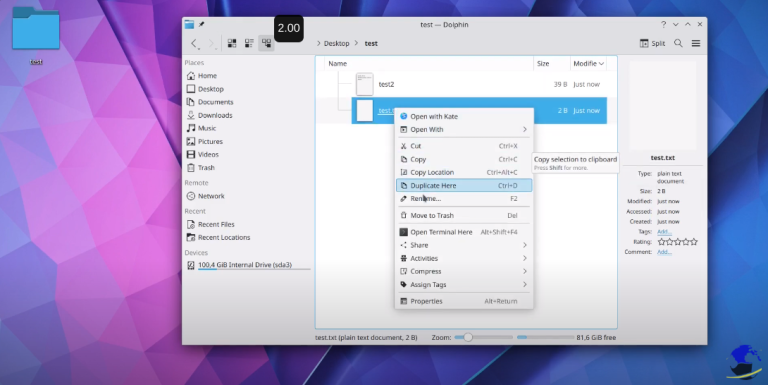
KDE and play with files on Dolphin
Browser, create, rename, delete, move,select files and folders
-
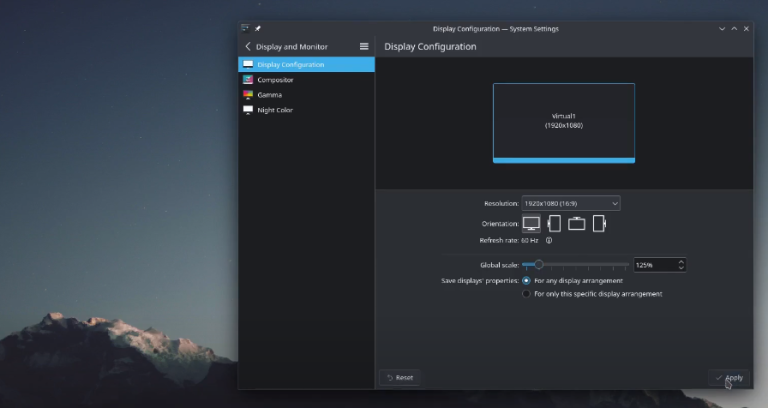
KDE change display scale
KDE change the display scale if it is too small…
-
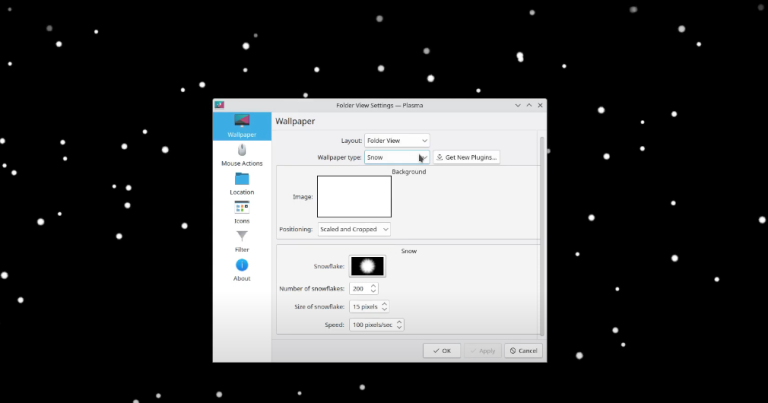
KDE customize Desktop
Change wallpaper Install Wallpaper plugin Arrange Desktop Icons Add Desktop plugin
-
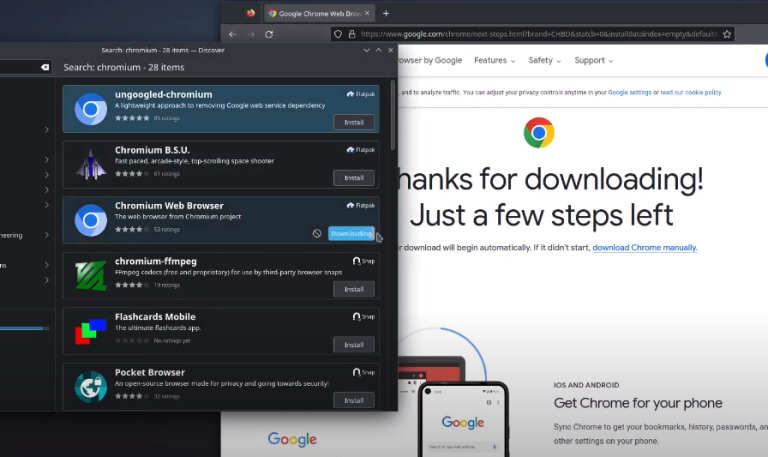
KDE Discover Applications Easy Installation
Libre Office, Chromiumbroswer, Chrome browser easy installation…
-
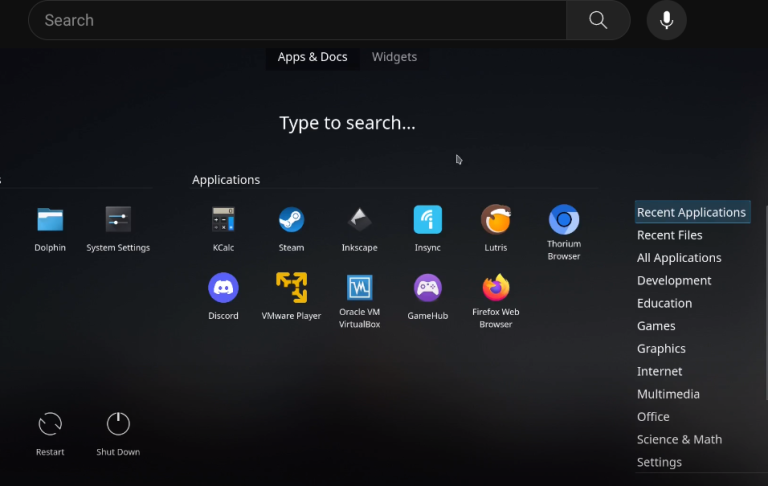
KDE how to start an application and alternative launchers
Showing the alternative launchers on KDE
-
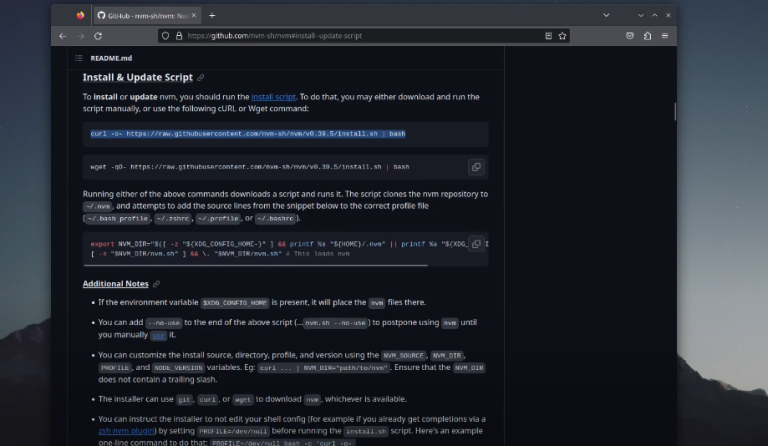
KDE install Node.js with NVM
My preferred way to install Node.js https://github.com/nvm-sh/nvm
-
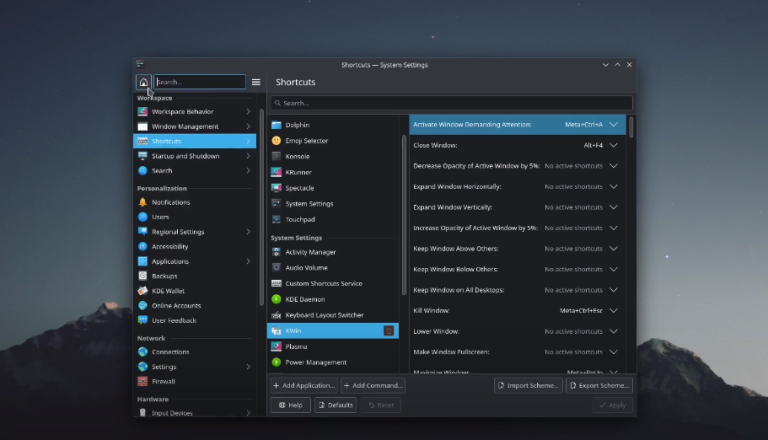
KDE Maneuvering windows
resize, snap, minimize, maximize windows change focused window edit window snapping options
-
KDE my favourite customization.
My favourite customization for KDE, simple but very helpful…
-
KDE neon Install lutris
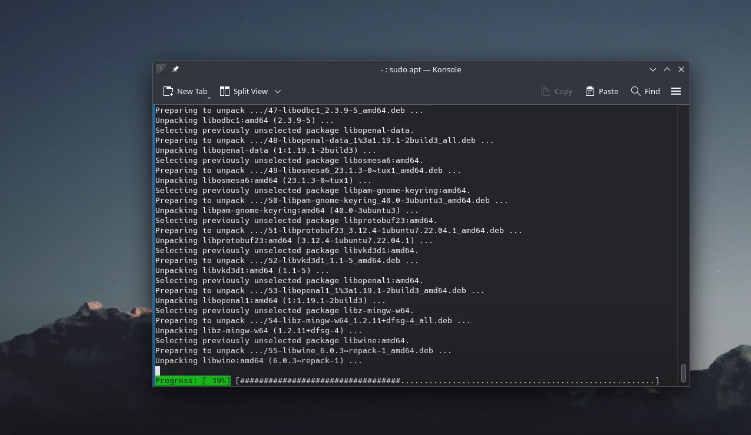
Install lutris on KDE neon and Ubuntu 22.04 sudo add-apt-repository ppa:lutris-team/lutris sudo apt install lutris